> ## Documentation Index
> Fetch the complete documentation index at: https://docs.seyval.dev/llms.txt
> Use this file to discover all available pages before exploring further.

# 仪表板

> 如何使用Seyval Dashboard

## 目录

* [仓库设置](#仓库设置)
* [运行分析](#运行分析)
* [运行代码](#运行代码)

***

## 仓库设置

### 添加仓库

输入您的GitHub仓库URL并点击 **+ Add Repository** 进行注册。

<img src="https://mintcdn.com/aixs/KIcyjiZ7QpqCcdVw/images/repo-register.png?fit=max&auto=format&n=KIcyjiZ7QpqCcdVw&q=85&s=c715b1fcd13e77d9ac516ce796f6b2ad" alt="添加仓库" width="715" height="96" data-path="images/repo-register.png" />

### 注册后

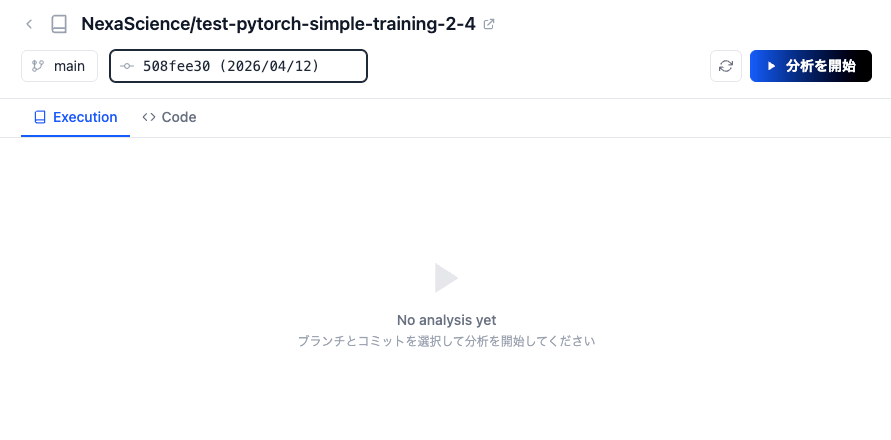
注册完成后，您将进入一个可以选择分支和提交来开始分析的页面。

<img src="https://mintcdn.com/aixs/KIcyjiZ7QpqCcdVw/images/repo-after-register.png?fit=max&auto=format&n=KIcyjiZ7QpqCcdVw&q=85&s=de7b8ceaad6695ce231c470e1c313a24" alt="注册后" width="891" height="440" data-path="images/repo-after-register.png" />

***

## 运行分析

### 开始分析

选择一个分支和提交，然后点击 **Start Analysis** 对您的仓库运行分析。

<img src="https://mintcdn.com/aixs/KIcyjiZ7QpqCcdVw/images/analyze-button.png?fit=max&auto=format&n=KIcyjiZ7QpqCcdVw&q=85&s=373b98f8ebbf855f43589dec2fdba262" alt="开始分析" width="191" height="59" data-path="images/analyze-button.png" />

分析完成后，将生成以下两个项目。

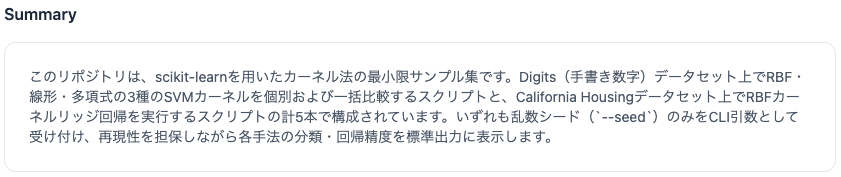
### 摘要

系统会根据仓库内容自动生成代码的摘要和说明。
<img src="https://mintcdn.com/aixs/KIcyjiZ7QpqCcdVw/images/analysis-summary.png?fit=max&auto=format&n=KIcyjiZ7QpqCcdVw&q=85&s=7ed61a98aa2e0d9cc563d0fa27dae288" alt="摘要" width="841" height="177" data-path="images/analysis-summary.png" />

### 执行列表

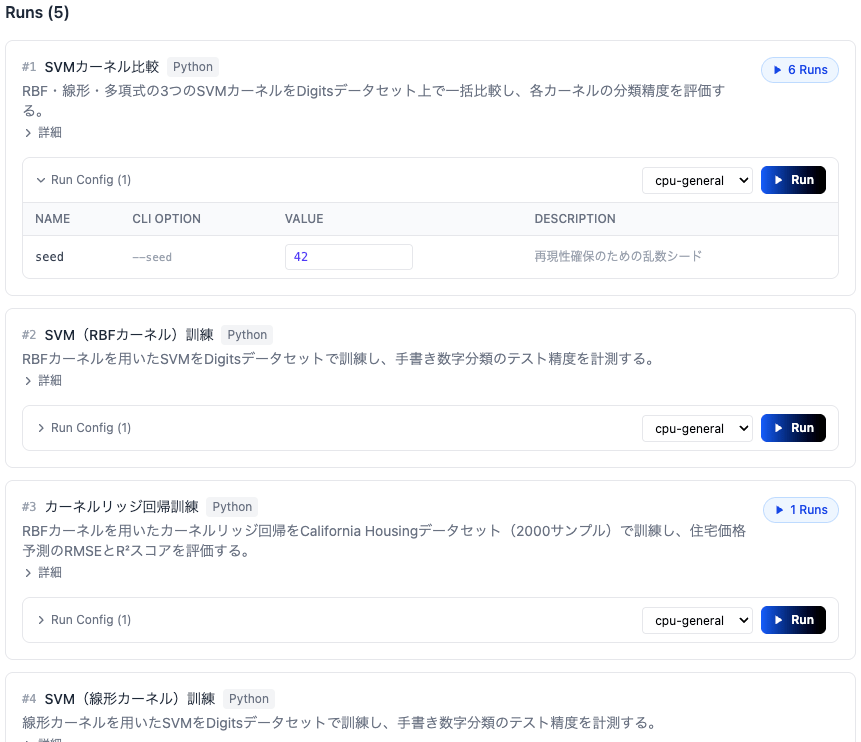
系统会生成仓库中发现的可执行入口点列表。每个入口点包含说明、CLI选项和计算环境设置，可以通过 **Run** 按钮直接执行。

<img src="https://mintcdn.com/aixs/KIcyjiZ7QpqCcdVw/images/analysis-entrypoints.png?fit=max&auto=format&n=KIcyjiZ7QpqCcdVw&q=85&s=69f9ec65acbeb535d1e540781a294ef3" alt="执行列表" width="861" height="742" data-path="images/analysis-entrypoints.png" />

***

## 运行代码

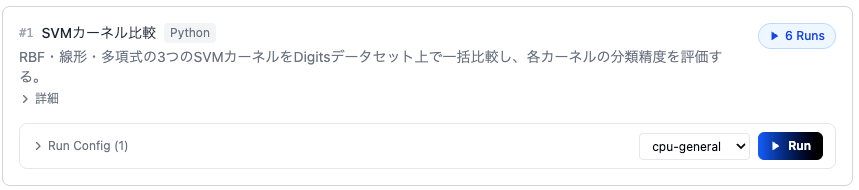
### 入口点卡片

从执行列表中选择要运行的入口点卡片。每张卡片显示入口点说明及其运行配置。
<img src="https://mintcdn.com/aixs/KIcyjiZ7QpqCcdVw/images/entrypoint-card.png?fit=max&auto=format&n=KIcyjiZ7QpqCcdVw&q=85&s=f3327e4ce3e80faa4845b3ce08de6439" alt="入口点卡片" width="859" height="190" data-path="images/entrypoint-card.png" />

### 修改运行配置

展开 **Run Config** 以更改CLI选项值并选择计算环境（Compute Type）。

<img src="https://mintcdn.com/aixs/KIcyjiZ7QpqCcdVw/images/run-config.png?fit=max&auto=format&n=KIcyjiZ7QpqCcdVw&q=85&s=80a3339b3d4961834dfa9cbdb6bcfc83" alt="修改运行配置" width="806" height="133" data-path="images/run-config.png" />

### 执行

配置就绪后，点击 **Run** 按钮开始执行。

<img src="https://mintcdn.com/aixs/KIcyjiZ7QpqCcdVw/images/run-button.png?fit=max&auto=format&n=KIcyjiZ7QpqCcdVw&q=85&s=c0327998b3ee53a3b41a107501cbc201" alt="执行" width="73" height="40" data-path="images/run-button.png" />

### 监控执行

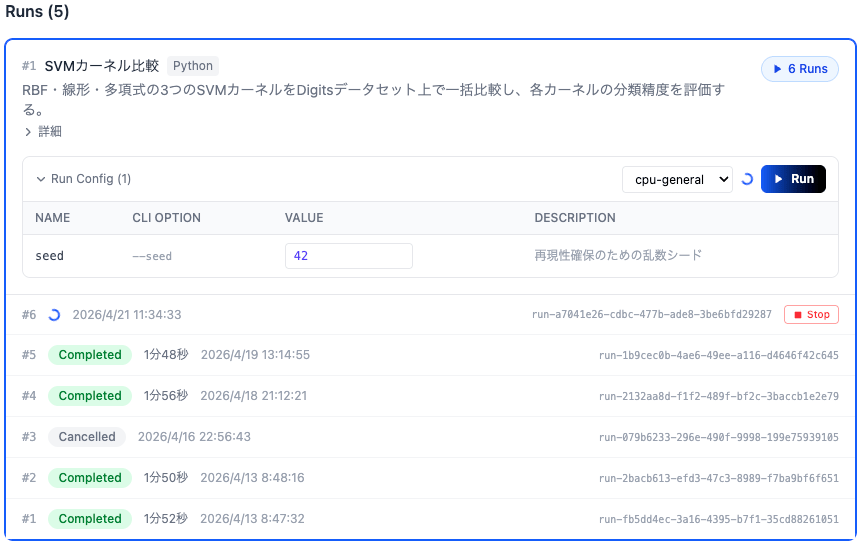
执行开始后，卡片底部的执行列表中会添加一个新的Run。运行期间状态会实时更新。

<img src="https://mintcdn.com/aixs/KIcyjiZ7QpqCcdVw/images/entrypoint-run.png?fit=max&auto=format&n=KIcyjiZ7QpqCcdVw&q=85&s=38eebb15e40fd09272f02e78bab24a59" alt="监控执行" width="862" height="545" data-path="images/entrypoint-run.png" />

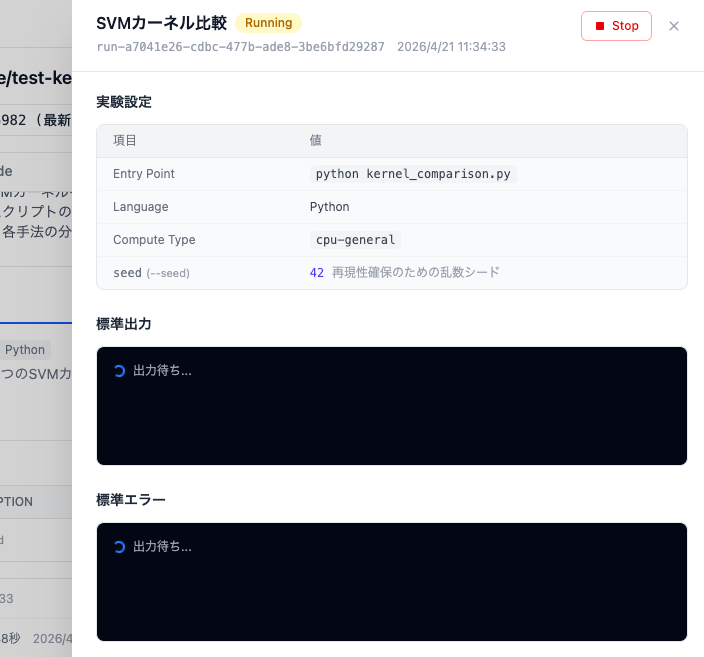
### 执行详情

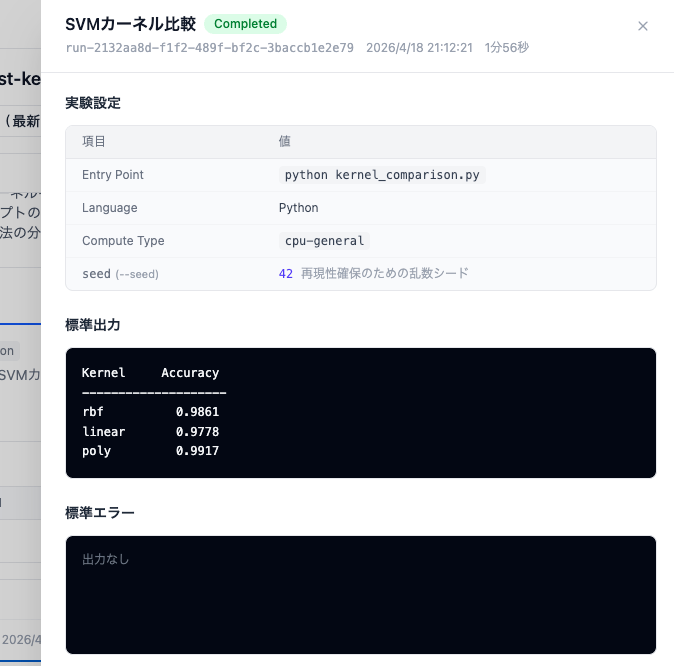
点击正在运行的Run可以实时查看实验设置、标准输出和标准错误。
<img src="https://mintcdn.com/aixs/KIcyjiZ7QpqCcdVw/images/experiment-status.png?fit=max&auto=format&n=KIcyjiZ7QpqCcdVw&q=85&s=edd1fe40261f254c0bac75bc6bfa004c" alt="执行详情" width="704" height="657" data-path="images/experiment-status.png" />

### 查看结果

执行完成后，状态变为 **Completed**，结果显示在标准输出中。

<img src="https://mintcdn.com/aixs/KIcyjiZ7QpqCcdVw/images/experiment-result.png?fit=max&auto=format&n=KIcyjiZ7QpqCcdVw&q=85&s=84977a867e8755bca5d5798d93ca90a5" alt="查看结果" width="674" height="666" data-path="images/experiment-result.png" />