> ## Documentation Index
> Fetch the complete documentation index at: https://docs.seyval.dev/llms.txt
> Use this file to discover all available pages before exploring further.
# Dashboard
> How to use the Aixs Dashboard
## Table of Contents
* [Repository Setup](#repository-setup)
* [Running Analysis](#running-analysis)
* [Running Code](#running-code)
***
## Repository Setup
### Add a Repository
Enter the URL of your GitHub repository and click **+ Add Repository** to register it.
 ### After Registration
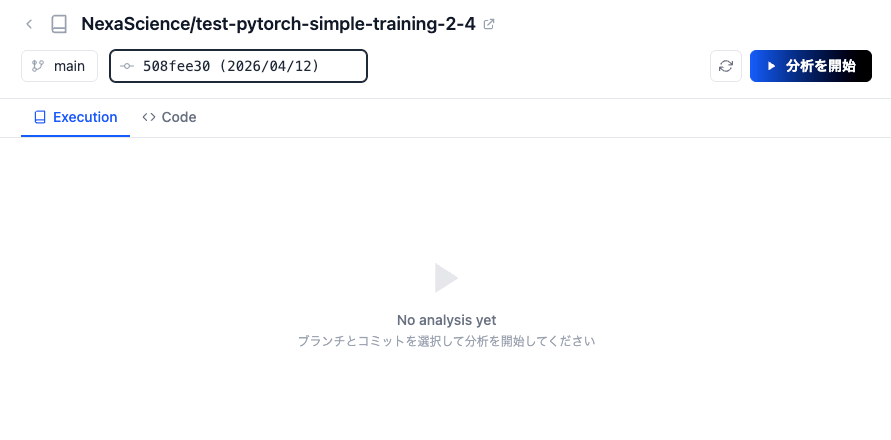
Once registered, you will be taken to a screen where you can select a branch and commit to start the analysis.
### After Registration
Once registered, you will be taken to a screen where you can select a branch and commit to start the analysis.
 ***
## Running Analysis
### Start Analysis
Select a branch and commit, then click **Start Analysis** to run the analysis on your repository.
***
## Running Analysis
### Start Analysis
Select a branch and commit, then click **Start Analysis** to run the analysis on your repository.
 When the analysis is complete, the following two items are generated.
### Summary
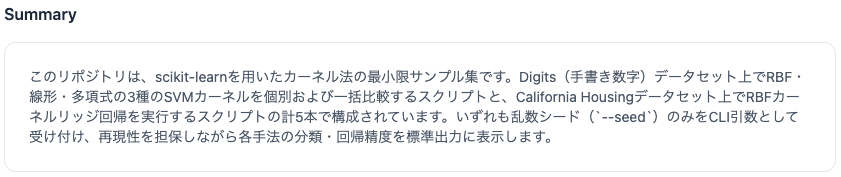
A summary and description of the repository's code is automatically generated based on its contents.
When the analysis is complete, the following two items are generated.
### Summary
A summary and description of the repository's code is automatically generated based on its contents.
 ### Runs
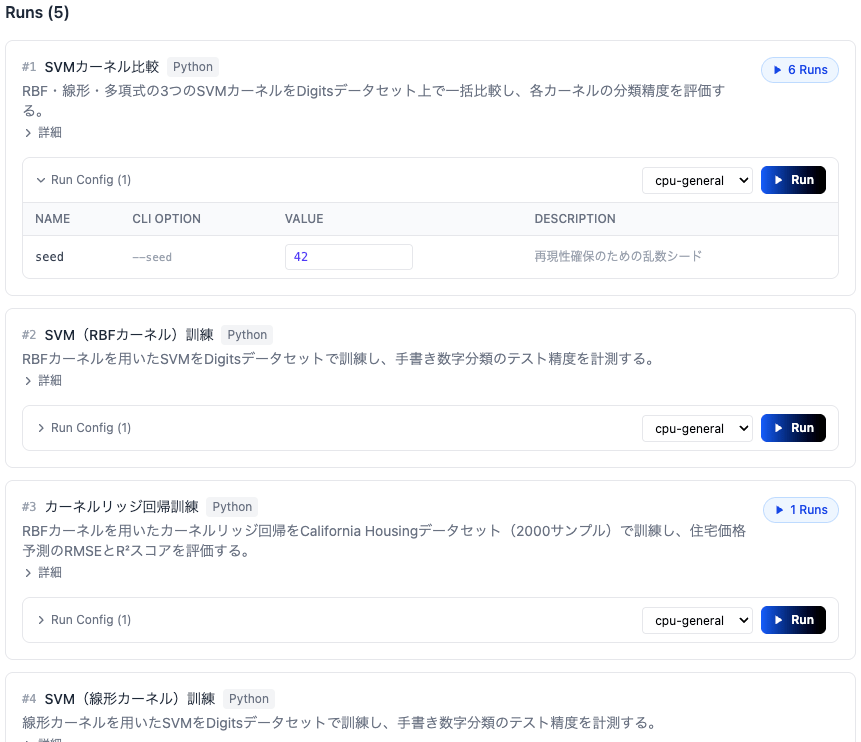
A list of executable entry points found in the repository is generated. Each entry point includes a description, CLI options, and compute environment settings, and can be run directly via the **Run** button.
### Runs
A list of executable entry points found in the repository is generated. Each entry point includes a description, CLI options, and compute environment settings, and can be run directly via the **Run** button.
 ***
## Running Code
### Entry Point Card
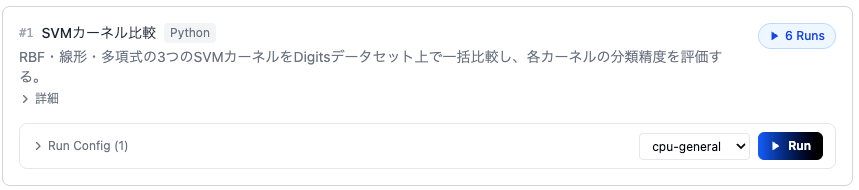
Select the entry point card you want to run from the Runs list. Each card displays the entry point description and its run configuration.
***
## Running Code
### Entry Point Card
Select the entry point card you want to run from the Runs list. Each card displays the entry point description and its run configuration.
 ### Modify Run Config
Expand **Run Config** to change CLI option values and select the compute environment (Compute Type).
### Modify Run Config
Expand **Run Config** to change CLI option values and select the compute environment (Compute Type).
 ### Run
Once the configuration is ready, click the **Run** button to start execution.
### Run
Once the configuration is ready, click the **Run** button to start execution.
 ### Monitor Execution
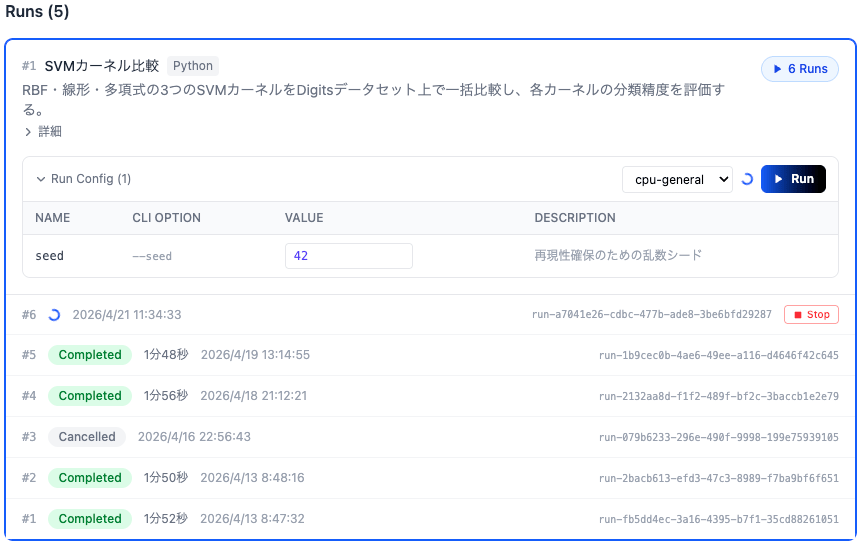
When execution starts, a new Run is added to the Runs list at the bottom of the card. The status is updated in real time while running.
### Monitor Execution
When execution starts, a new Run is added to the Runs list at the bottom of the card. The status is updated in real time while running.
 ### Execution Details
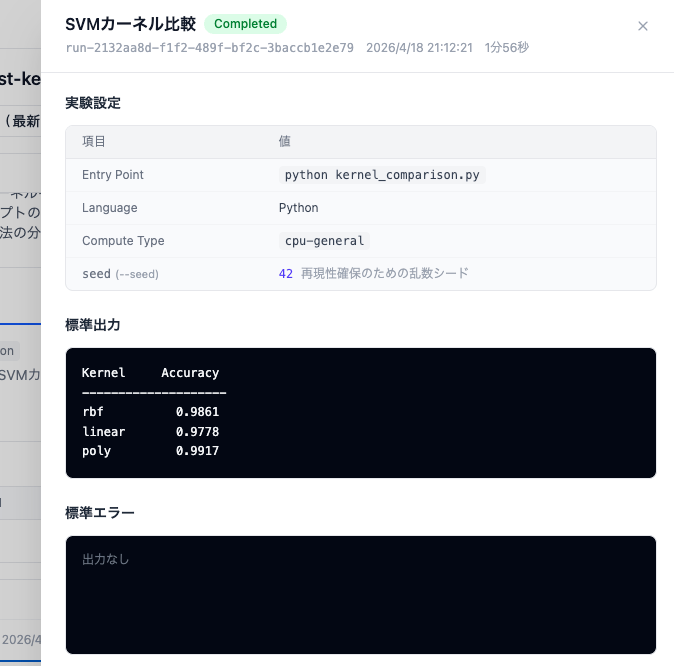
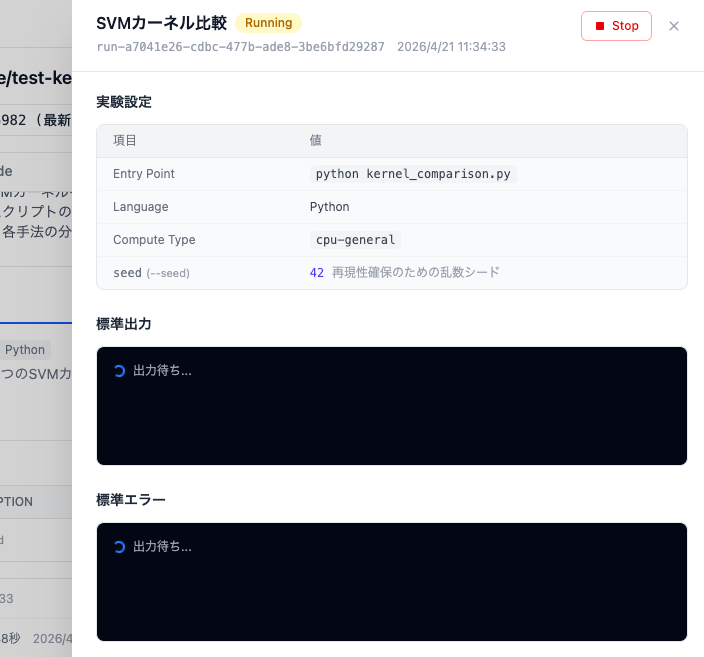
Click on a running Run to view the experiment settings, standard output, and standard error in real time.
### Execution Details
Click on a running Run to view the experiment settings, standard output, and standard error in real time.
 ### View Results
When execution is complete, the status changes to **Completed** and the results are shown in the standard output.
### View Results
When execution is complete, the status changes to **Completed** and the results are shown in the standard output.